- What an AI Note Taking App Actually Does (and What It Should Do)
- The Five Things That Separate Good from Great
- Common Mistakes When Choosing an AI Note Taking App
- How Different Roles Should Prioritize Features
- Where Baxter Fits in This Category
- FAQs
- The Bottom Line
Most professionals have tried at least one AI note taking app and walked away underwhelmed. The recording worked. The transcript arrived. And then nothing happened — no follow-up drafted, no CRM updated, no context carried forward to the next meeting. Picking the right tool means understanding why that gap exists and what to look for so it stops happening.
This guide covers the key criteria, where most tools fall short, and how to match the right option to the way you actually work.
What an AI Note Taking App Actually Does (and What It Should Do)
At the basic level, every AI note taking app does two things: records your meeting audio and converts speech to text. That part is largely solved across the category. The real differences show up in what happens before and after the transcript.
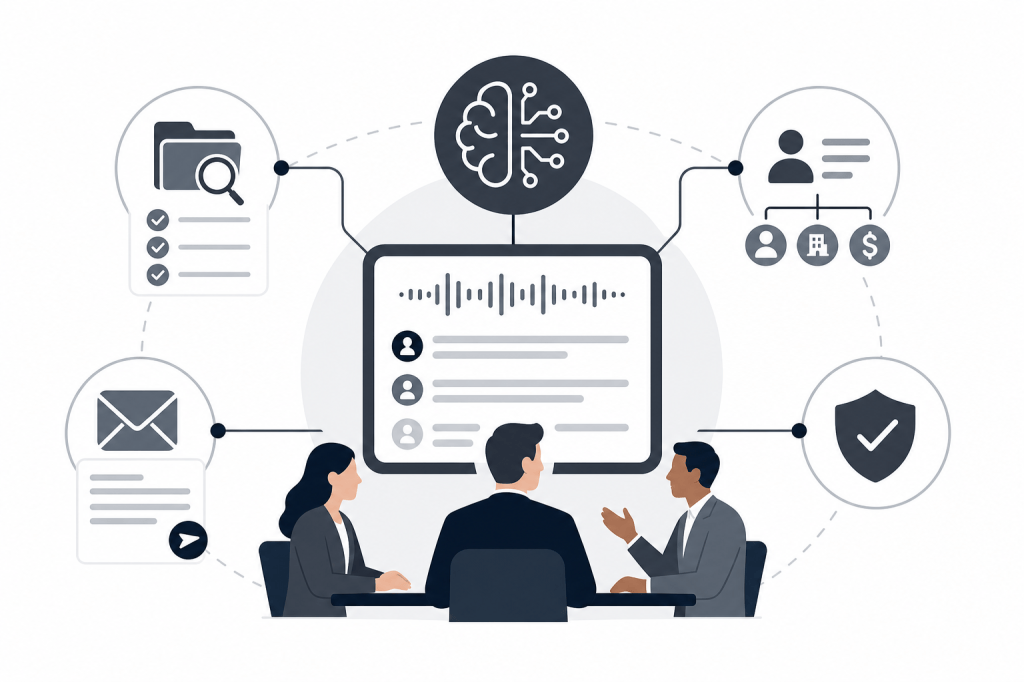
A strong tool in 2026 handles at least three stages:
- Before the meeting: surfaces relevant context about who you're meeting, what was discussed last time, and any open items
- During the meeting: records and transcribes accurately, tags action items, and organizes the conversation into structured notes
- After the meeting: drafts follow-up emails, syncs notes to your CRM, and flags tasks — without you having to do any of it manually
Most apps stop at stage two. They hand you a transcript and a summary, then leave the rest to you. If you're running back-to-back meetings all day, that's still a problem.
The Five Things That Separate Good from Great
1. Transcription Quality and Speaker Identification
Accuracy matters most in fast-moving conversations with multiple speakers. Look for tools that correctly attribute speech to individual participants rather than producing one undifferentiated wall of text. Test it with your actual accent, speaking pace, and meeting format before committing.
2. CRM Integration Depth
This is where most lightweight tools disappoint. Syncing a note to a CRM contact sounds simple, but the details matter: Does it sync automatically or require a manual export? Does it write to the right fields? Does it create tasks and tags alongside the note, or just dump a block of raw text?
If your CRM is HubSpot, look for native two-way sync that handles notes, tasks, and tags together — not just a one-way push of transcript text.
3. Pre-Meeting Intelligence
Very few AI note taking apps do anything useful before the meeting starts. The ones that do pull context from sources like LinkedIn and Crunchbase alongside your internal email and calendar history, then surface it as a briefing before you join the call. For deal professionals and sales teams, this is often the highest-value feature in the stack.
If you're spending 20 to 30 minutes before every call manually pulling up LinkedIn, your last email thread, and your CRM notes, automated pre-meeting briefings eliminate that entirely.
4. Post-Meeting Automation
A good AI note taking app should reduce the time you spend after a call, not just during it. That means drafting the follow-up email, not just summarizing what was said. It means logging the meeting to the right CRM record automatically. It means flagging action items so nothing falls through.
The distinction between a summary and an action matters. Summaries tell you what happened. Automation handles what comes next.
5. Security and Data Handling
Meeting recordings contain sensitive information. SOC 2 certification is the baseline standard for business-grade tools. Check whether recordings are stored on shared infrastructure, whether you can control retention periods, and whether the vendor has a clear data processing policy. For financial services professionals, this is non-negotiable.
Common Mistakes When Choosing an AI Note Taking App
Optimizing for the demo, not the workflow. Most tools look impressive in a 10-minute walkthrough. The real test is whether the notes are still useful three weeks later, and whether your CRM actually reflects what was discussed.
Ignoring the free plan limits. Several popular tools offer free plans that are effectively unusable for regular work. Check the storage caps, meeting limits, and which features are locked behind paid tiers before you build a workflow around them.
Picking a general tool for a specialized workflow. If you work in PE, VC, wealth management, or any relationship-driven role where context and history matter more than pipeline velocity, a generic meeting notes tool built for high-volume SaaS sales teams is going to feel like a poor fit. The summaries will be structured around the wrong things.
Underestimating the CRM sync problem. A tool that records well but syncs poorly creates a new version of the same problem: notes exist somewhere, but not where your team looks for them. HubSpot hygiene is a fund-level discipline, not just a personal preference.
How Different Roles Should Prioritize Features
Deal Professionals and Founders in Relationship-Driven Roles
Your priority order: pre-meeting briefing, CRM sync quality, follow-up drafting, transcription. You need context going in, and you need the output to reach HubSpot without manual effort. The transcript itself is secondary to the workflow it enables.
Sales Teams Running High-Volume Pipelines
The priority order shifts toward transcription accuracy, CRM sync speed, action item extraction, and coaching features. Deep external research per contact matters less here — what matters is moving quickly across a large number of calls.
Ops Leads and Chiefs of Staff
The concern is team-level consistency: does every rep's notes land in the CRM in the same format? Can you see what was discussed across accounts without chasing individuals? Look for tools with organization-level controls, workspace management, and storage that scales.
Where Baxter Fits in This Category
Baxter is built around the full meeting loop rather than just the recording. It connects to your calendar, email, and HubSpot, then handles all three stages: automated pre-meeting briefings pulled from 12+ external sources including LinkedIn and Crunchbase, live transcription and note generation during the call, and post-meeting automation that drafts follow-up emails and syncs notes, tasks, and tags to HubSpot — without any manual input.
The AI agent runs in the background without requiring prompts. You don't configure it before each meeting or export notes afterward. It handles the workflow so you can stay focused on the conversation.
Baxter is available on macOS, Windows, iOS, and Android, and is SOC 2 certified. The free plan includes pre, during, and post-meeting intelligence, CRM sync, and the Baxter Intel Agent at $0 per month. The Pro plan at $44/seat/month adds unlimited transcription, unlimited in-person capture, and unlimited Ask Baxter Intel. The Business plan at $89/seat/month adds unlimited CRM sync, unlimited storage, organization controls, and MCP access for teams of 10 or more.
For professionals who carry key relationships and can't afford to walk into a meeting without context — or spend an hour after every call on admin — Baxter is worth a close look.
FAQs
What is an AI note taking app?
An AI note taking app records your meetings, converts speech to text, and generates structured summaries or action items automatically. More advanced tools also handle pre-meeting research and post-meeting tasks like CRM sync and follow-up drafting.
Do AI note taking apps work for in-person meetings?
Some do. Look for tools that support in-person capture on mobile, not just bot-joined video calls. Baxter's Pro plan and above include unlimited in-person capture alongside virtual meeting recording.
How do AI note taking apps sync with HubSpot?
Integration depth varies significantly. Basic tools push a text summary to a contact record. Tools with native two-way HubSpot sync, like Baxter, write notes, tasks, and tags to the correct fields automatically — no manual configuration required after each meeting.
Are AI note taking apps secure enough for financial services?
SOC 2 certification is the standard to look for. Tools with custom data retention options and enterprise-grade security controls are better suited for financial services, PE, and wealth management contexts where meeting content is sensitive.
What is the difference between an AI note taking app and a meeting intelligence platform?
A note taking app focuses on recording and summarizing. A meeting intelligence platform adds layers like pre-meeting research, relationship tracking, CRM automation, and post-meeting outreach. The line between them is blurring, but the distinction still matters when you're evaluating what a tool actually does with the information it captures.
Can AI note taking apps draft follow-up emails?
Some can. Most lightweight tools stop at the summary. Tools built around post-meeting automation, like Baxter, draft follow-up emails as part of the standard workflow — not as an add-on you have to trigger manually.
What should I look for in a free AI note taking app?
Check the storage limits, meeting caps, and which features are actually included. Some free plans restrict you to a small number of meetings or limited storage before the tool becomes unusable. Baxter's free plan includes pre, during, and post-meeting intelligence, CRM sync, and the AI agent at no cost.
The Bottom Line
The right AI note taking app comes down to what happens after the transcript. If you just need a record of what was said, most tools in the category will serve you adequately. If you need that record to reach your CRM automatically, inform your next meeting, and turn into a drafted follow-up email without any manual steps, you need a tool built around the full workflow — not just the recording.
Start by mapping where your time actually goes: prep, the call itself, or the hour after. Then pick a tool that addresses the stage costing you the most.


Leave a Reply