- What Makes an AI Sales Agent Different from an Assistant
- Where AI Agents Are Actually Being Deployed in Sales
- The Adoption Curve in 2026
- How Human Reps and AI Agents Split the Work
- Failure Modes Worth Knowing Before You Deploy
- What You Need in Place Before Deploying an AI Sales Agent
- Evaluating Whether a Sales Agent Is Production-Ready
- How Baxter Approaches Agentic Sales Workflows
- Conclusion
- Frequently Asked Questions
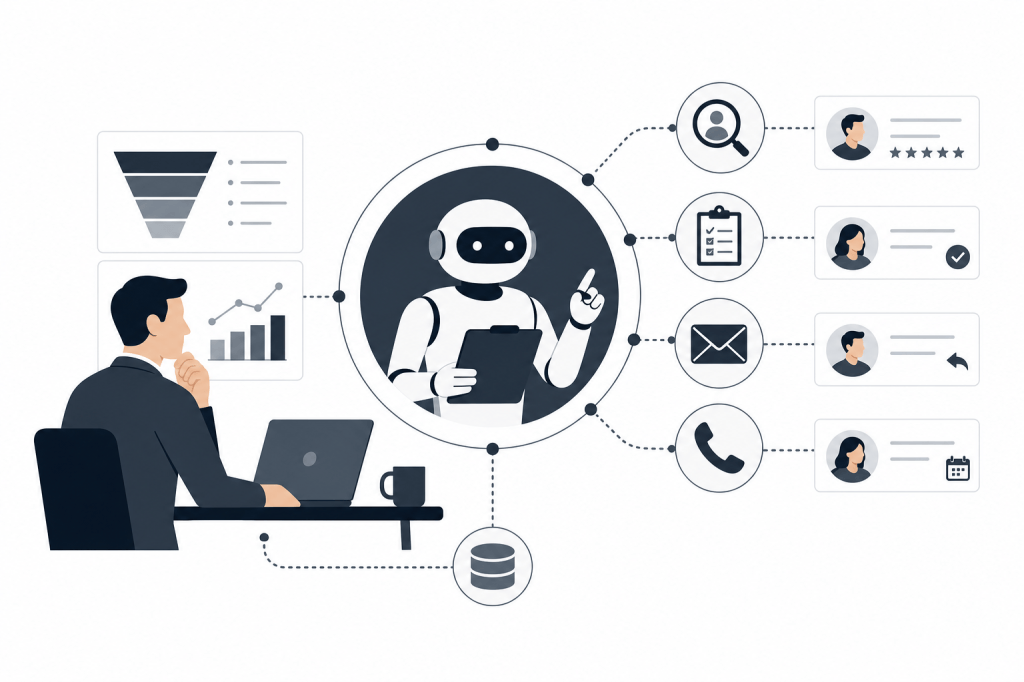
An AI agent for sales is not a chatbot you query when you remember to. It's software that monitors your pipeline, researches your contacts, and executes tasks on your behalf — without waiting for a prompt. That distinction matters more than it sounds, and in 2026, it's reshaping how deal teams operate.
This article breaks down what separates a true AI sales agent from a glorified assistant, which parts of the sales cycle agents can own end to end, where human judgment still belongs, and what needs to be in place before you deploy one.
What Makes an AI Sales Agent Different from an Assistant
Most sales AI tools are reactive. You open them, ask a question, get an answer. That's an assistant. An AI agent is different — it acts on its own initiative, runs multi-step processes, and decides what to do next based on context it gathered without being asked.
The Journal of Business Research, Elsevier outlined in 2026 that autonomous AI agents can enable multi-step processes such as lead generation, qualification, customer interaction, and performance management as a connected chain rather than isolated tasks. That's the operative shift: not one smarter feature, but a system that moves work forward across stages.
The practical difference shows up in your calendar. An assistant waits for you to paste in a contact's name and ask for background. An agent sees a meeting appear, pulls LinkedIn, Crunchbase, and your email history, builds a briefing, and has it ready before you open your laptop.
Where AI Agents Are Actually Being Deployed in Sales
Pre-Meeting Research and Briefing
This is the most underserved stage. Most tools record and transcribe calls well. Almost none do the work before the call starts.
An agent operating here monitors your calendar, identifies who you're meeting, and builds a contact and company profile from external sources. It surfaces recent news, funding history, job changes, and prior conversation context — so you walk in with the same depth a dedicated analyst would have prepared overnight.
Lead Qualification and Prospecting
Agents can score inbound leads against your ICP criteria, flag contacts that match a target profile, and build prospect lists without manual research. They apply consistent criteria at a volume no human can match, and pass qualified leads to the rep with context already attached.
Post-Meeting Task Execution
After a call ends, the work piles up fast: write the follow-up, log notes to the CRM, update the deal stage, schedule the next step. Each task is short, but together they consume 30 to 60 minutes per meeting for a senior deal professional.
An agent handles all of it. It drafts the follow-up using the call transcript, syncs notes and tags to the CRM, and marks tasks complete — without the rep opening a single form.
Outreach Drafting and Sequence Management
Agents can draft personalized outreach based on a contact's recent activity, their role, and where they sit in the pipeline. This isn't a mail-merge. It's a draft that references the specific context the agent already gathered — something a rep can review and send in seconds rather than minutes.
The Adoption Curve in 2026
The shift from AI as a feature to AI as an operator is happening faster than most teams expected. CaptivateIQ, citing Gartner research, reported in 2026 that less than 5% of enterprise applications included task-specific AI agents in 2025, with Gartner predicting that figure would reach 40% by 2026. That's not incremental growth — it's a category inflection.
Separately, futurumgroup.com reported in 2026 that 87% of organizations are using some form of AI, drawing on Salesforce's 2026 State of Sales report which surveyed over 4,000 global sales professionals. The gap between "using AI" and "deploying agents that act autonomously" is still wide, but it's closing.
How Human Reps and AI Agents Split the Work
The cleanest mental model: agents handle everything that doesn't require relationship judgment, and humans handle everything that does.
An agent can research a contact, draft a follow-up, log a note, and build a prospect list. It shouldn't decide whether to push a deal forward, how to handle a difficult objection, or when to walk away from a negotiation. Those calls require context that lives in the rep's head, not in a database.
In practice, the handoff looks like this:
- Agent acts autonomously: Research, briefing, transcription, CRM sync, follow-up drafts, prospect list generation
- Human reviews and approves: Outbound emails before they send, deal stage changes, any communication that carries commercial weight
- Human acts alone: Negotiation, relationship repair, strategic pivots — anything where tone and judgment matter more than speed
The risk teams run into is over-automating the middle category. An agent that sends outbound emails without review can damage relationships faster than any manual process. Build approval checkpoints into anything that touches a prospect or customer directly.
Failure Modes Worth Knowing Before You Deploy
Multi-step workflows fail in specific ways that single-task tools don't.
Data quality breaks the chain. An agent pulling from a CRM full of missing email domains, duplicate records, or stale job titles will produce briefings and outreach drafts that are wrong in ways that are hard to catch. Clean your CRM before you connect an agent to it.
Escalation gaps cause deals to stall. If an agent can't complete a step and has no way to flag it for human review, the task disappears. Good agent design includes explicit escalation paths so nothing falls through silently.
Attribution gets murky. When an agent drafts the email, syncs the note, and updates the deal stage, your revenue attribution logic needs to account for agent actions alongside rep actions. If your CRM doesn't distinguish between them, pipeline reporting becomes unreliable.
Deliverability degrades at scale. Agents that draft or send outreach at high volume can trigger spam filters if the underlying email infrastructure isn't set up for it. Volume alone isn't the problem — it's volume without proper domain warming and sending limits.
What You Need in Place Before Deploying an AI Sales Agent
Deploying an agent into a broken workflow makes the workflow break faster. A few prerequisites matter.
A CRM you actually use. Agents sync to and from your CRM. If it has six months of empty records because reps stopped logging after Q1, the agent has nothing to work with and will produce shallow outputs.
Connected data sources. The value of a pre-meeting briefing depends on how many sources the agent can pull from. An agent reading only your calendar produces a thin brief. One pulling from LinkedIn, Crunchbase, your email history, and your CRM produces something a senior analyst would be proud of.
Clear approval rules. Decide before you deploy which actions the agent can take without review and which require a human sign-off. Document it. Revisit it after the first month.
Integrations that are actually two-way. One-way sync — agent pushes to CRM — is better than nothing. Two-way sync means the agent can also read what changed in the CRM since the last meeting and incorporate that context into the next briefing. That's a meaningfully different product.
Evaluating Whether a Sales Agent Is Production-Ready
Not every tool that calls itself an AI agent actually operates autonomously. A few questions cut through the marketing:
- Does it act without a prompt, or does it wait for you to ask?
- Does it pull from external data sources, or only from what you've already entered?
- Does it execute post-meeting tasks, or only surface recommendations?
- Is the CRM sync two-way, or does it only push?
- What happens when a step fails — is there an escalation path?
The answers tell you whether you're buying an agent or a smarter search bar.
How Baxter Approaches Agentic Sales Workflows
Baxter is built around the three-stage workflow described above — pre-meeting briefing, live transcription, and post-meeting task execution — running as a connected system rather than three separate tools.
The agent pulls from 12+ external data sources including LinkedIn and Crunchbase, alongside internal integrations including Gmail, Google Calendar, Slack, and HubSpot. It operates without manual prompts. When a meeting appears on your calendar, Baxter starts working. When the call ends, it drafts the follow-up, builds prospect lists where relevant, and syncs notes, tasks, and tags to HubSpot through a native two-way integration.
This is particularly useful for deal professionals at PE and VC firms, boutique advisory shops, and founder-led sales teams where the founder personally carries the key relationships. These teams have enough meeting volume that prep and post-meeting admin is a real cost — but not enough headcount to have a dedicated research analyst handling it.
Baxter's free plan includes pre-meeting intelligence, CRM sync, and the Baxter Intel Agent at no cost. The Pro plan at $44/seat/month adds unlimited transcription and in-person capture. The Business plan at $89/seat/month for teams of 10 or more adds unlimited CRM sync, unlimited storage, and MCP access. Enterprise pricing is custom for organizations of 400 or more. All plans are SOC 2 certified.
Conclusion
An AI agent for sales earns its place by acting, not advising. The teams getting the most from them in 2026 aren't the ones with the most sophisticated prompting habits — they're the ones who connected their CRM, cleaned their data, set clear approval rules, and let the agent handle the work that was eating 30 to 60 minutes per meeting.
The human rep's job doesn't shrink. It refocuses. Less time on research and logging, more time on the conversations that actually move deals.
Frequently Asked Questions
What is an AI agent for sales, and how is it different from a regular AI assistant?
An AI sales agent acts autonomously on multi-step tasks without waiting for a prompt. A regular AI assistant responds when you ask it something. The difference is initiative: an agent monitors your calendar, researches contacts, drafts follow-ups, and syncs your CRM on its own. An assistant does those things only when you ask.
Which parts of the sales process can an AI agent handle end to end?
Pre-meeting research and briefing, lead qualification and scoring, post-meeting note logging, CRM updates, follow-up email drafting, and prospect list generation are all tasks agents can handle without human involvement. Negotiation, relationship judgment, and any high-stakes communication should stay with the human rep.
Do I need a clean CRM before deploying an AI sales agent?
Yes. Agents pull context from your CRM to produce briefings and outreach drafts. If your CRM has stale contacts, missing fields, or months of unlogged notes, the agent's outputs will reflect that. Data quality is a prerequisite, not something the agent fixes for you.
What does two-way CRM sync mean, and why does it matter?
One-way sync means the agent pushes notes and tasks into your CRM after a meeting. Two-way sync means the agent can also read what has changed in the CRM since the last interaction and use that context in the next briefing. It's the difference between an agent that logs and an agent that learns from the record.
How widely are AI agents being adopted in sales right now?
Adoption is accelerating sharply. CaptivateIQ, citing Gartner research, noted in 2026 that fewer than 5% of enterprise applications included task-specific AI agents in 2025, with Gartner predicting that figure would reach 40% in 2026. The category moved from niche to mainstream in roughly 12 months.
What are the biggest risks when deploying an AI sales agent?
The most common failure modes are poor data quality breaking multi-step workflows, missing escalation paths causing tasks to disappear silently, murky revenue attribution when agents and reps both touch a deal, and deliverability problems when outreach volume scales too fast. All of these are manageable with the right setup — but they need to be planned for before deployment.
Can an AI agent replace a sales rep entirely?
No. Agents handle research, logging, drafting, and task execution well. They don't handle the judgment calls that define relationship-driven sales: reading a room, navigating a difficult negotiation, deciding when to push and when to wait. The practical model is agents doing the administrative and research work so reps can spend more time on the conversations that close deals.


Leave a Reply