- What to Look for in Meeting Recording Software
- The Top Meeting Recording Software Options in 2026
- Baxter: Meeting Recording Software Built Around the Full Workflow
- Side-by-Side Comparison
- How to Choose
- FAQs
- The Bottom Line
Meeting recording software has become a baseline expectation for anyone running a serious sales or deal workflow. But the category has quietly split into two very different product types, and picking the wrong one costs you more than a subscription fee — it costs you the context that closes deals.
This comparison covers the top options available in 2026, what each one actually does well, and where each one falls short. If you're a deal professional, a founder carrying key relationships, or an ops lead managing a high-volume sales motion, this guide is written for you.
What to Look for in Meeting Recording Software
"Meeting recording software" means something different depending on who you ask. At the basic end, it's a bot that joins your calls, records audio, and spits out a transcript. At the more capable end, it's a system that prepares you before the meeting, captures everything during it, and handles the follow-through afterward — without you doing the manual work.
The features that separate good from great:
- Pre-meeting preparation — does the tool brief you before the call, or only react after it ends?
- Transcription accuracy and note quality — clean transcripts matter, but structured notes matter more
- CRM sync — does it push data to your CRM automatically, or do you still copy-paste?
- Post-meeting automation — follow-up drafts, task creation, prospect list building
- Relationship intelligence — touchpoint history, contact timelines, relationship strength signals
- Security and compliance — SOC 2 certification is the floor for financial services and enterprise buyers
Most tools in this category handle transcription reasonably well. The real differences show up everywhere else.
The Top Meeting Recording Software Options in 2026
Fathom
Fathom has the strongest free plan in the category — unlimited recording at no cost. Its paid tiers (pricing as of September 2026, subject to change) go up to around $25/seat/month on annual billing, with CRM field sync available on higher tiers.
It works well for teams that need a lightweight, reliable recorder without deep workflow automation. The interface is clean and the free plan is genuinely usable.
Where it falls short: Fathom is entirely reactive. There's no pre-meeting research layer, no enrichment from LinkedIn or Crunchbase, and no outreach drafting after the call. You get a solid record of what happened. You don't get help figuring out what to do next.
Fireflies.ai
Fireflies.ai offers solid integrations with HubSpot and Salesforce, and its searchable conversation history across historical calls is genuinely useful for teams that want to surface what was said months ago. Pricing (as of September 2026, subject to change) runs up to approximately $18/seat/month.
The free plan has real limits — 800 minutes of lifetime storage and only three bot-joined meetings total — making it effectively unusable for any team with regular call volume.
Like Fathom, Fireflies has no pre-meeting research capability and no autonomous outreach drafting. It records and stores well. It doesn't prepare you or follow up for you.
Avoma
Avoma is the most comprehensive platform in this comparison. It covers note-taking, scheduling, coaching, deal risk alerts, and win-loss analysis. Pricing (as of September 2026, subject to change) starts free and goes up to around $49/seat/month on annual billing, with Conversation Intelligence and Revenue Intelligence available as paid add-ons.
Avoma is built for high-volume pipeline sales motions — SDR teams running 20 calls a day where call scoring and coaching cadences are the priority. If that describes your workflow, it's worth a serious look.
If your work is relationship-depth rather than call-volume — PE deal sourcing, VC portfolio management, wealth management, or founder-led enterprise sales — Avoma's architecture doesn't map well. There's no pre-meeting briefing layer and no external research integration. You arrive at the meeting the same way you would without it.
Otter.ai
Otter.ai ($0 to $8.33/month, as of September 2026, subject to change) is the most accessible entry point in the category. It transcribes reliably and has a clean interface for collaborative note-taking.
CRM automation is minimal and there's no relationship intelligence to speak of. For a team that just needs transcripts and basic shared notes, it works fine. For anyone who needs those notes to reach HubSpot automatically — or wants the meeting to trigger follow-up drafts and task creation — it stops well short.
Read.ai
Read.ai connects meeting intelligence to emails and documents, giving it a broader data picture than pure transcription tools. It's positioned more as a meeting analytics platform than a simple recorder.
The gap: no autonomous outreach drafting and limited external enrichment depth. It's a thoughtful product for teams that want visibility into meeting patterns and engagement signals, but it doesn't automate the work that happens before or after the call at the depth deal professionals need.
Baxter: Meeting Recording Software Built Around the Full Workflow
Most tools in this category start at the recording and work backward. Baxter starts at the relationship and builds the entire workflow around it.
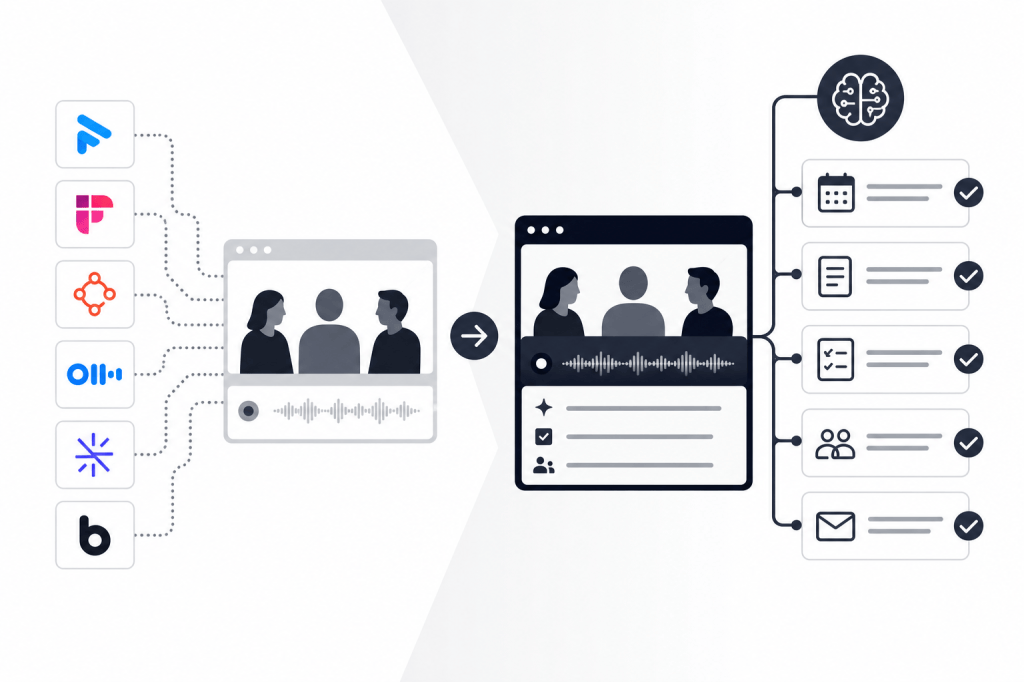
The core difference is scope. Baxter connects to your calendar, email, and HubSpot to run three stages automatically: pre-meeting briefing, live recording and transcription, and post-meeting task execution. The AI agent operates in the background without manual prompts — you don't configure it, you don't prompt it, it just runs.
Pre-Meeting Intelligence
Before each meeting, Baxter pulls from 12+ external data sources — including LinkedIn, Crunchbase, and Google — alongside internal tools like Gmail and Slack to surface open items, recent company news, relationship context, and attendee details. You walk into the call already briefed. No tab-switching, no last-minute research sprint.
This is the feature that no other tool in this comparison offers. As of 2026, the combination of autonomous pre-meeting research from external sources, zero-prompt background operation, and post-meeting outreach drafting exists in a single product only at Baxter — though the competitive landscape continues to evolve.
Live Recording and Transcription
During the meeting, Baxter records, transcribes, and generates structured notes automatically. This is table stakes in 2026, and Baxter handles it cleanly across macOS, Windows, iOS, and Android.
Post-Meeting Automation
After the call, Baxter drafts follow-up emails, builds prospect lists, and syncs everything to HubSpot — two-way, without manual input. Notes, tasks, and tags reach your CRM without you touching a keyboard. The hour you used to spend writing follow-ups becomes available for the next conversation.
Pricing
Baxter's Free plan ($0/month) includes pre, during, and post-meeting intelligence, CRM sync, and the Baxter Intel Agent. The Pro plan ($44/seat/month) adds unlimited meeting transcription and notes, unlimited in-person capture, and unlimited Ask Baxter Intel. The Business plan ($89/seat/month for teams of 10 or more) adds unlimited CRM sync, unlimited storage, organization controls, and MCP access. Enterprise pricing is custom for organizations of 400 or more. All plans are SOC 2 certified.
Side-by-Side Comparison
| Feature | Baxter | Fathom | Fireflies.ai | Avoma | Otter.ai |
|---|---|---|---|---|---|
| Pre-meeting research | Yes (12+ sources) | No | No | No | No |
| Live transcription | Yes | Yes | Yes | Yes | Yes |
| Automated CRM sync | Yes (HubSpot, two-way) | Paid tier | Yes | Paid add-on | Minimal |
| Post-meeting outreach drafting | Yes | No | No | No | No |
| Prospect list building | Yes | No | No | No | No |
| Relationship strength scores | Yes | No | No | No | No |
| Zero-prompt background operation | Yes | No | No | No | No |
| SOC 2 certified | Yes (all plans) | — | — | — | — |
| Free plan available | Yes | Yes | Yes (limited) | Yes | Yes |
How to Choose
Choose a lightweight recorder (Fathom, Otter.ai) if your only need is transcription and shared notes, and your team doesn't rely heavily on CRM automation or post-meeting workflows.
Choose Fireflies.ai if searchable call history across a large archive is your primary requirement and you use Salesforce or HubSpot for basic note logging.
Choose Avoma if you run a high-volume SDR or AE motion where call coaching, deal risk scoring, and win-loss analysis are active priorities.
Choose Baxter if you carry relationships that matter, need to walk into meetings prepared, and want the follow-through handled automatically. That describes most deal professionals at PE and VC firms, founders running enterprise sales, and ops leads managing relationship-heavy pipelines.
FAQs
What is meeting recording software?
Meeting recording software captures audio and video from calls, generates transcripts, and often produces structured notes or summaries. More advanced tools also automate pre-meeting research, CRM sync, and post-meeting follow-up tasks.
Which meeting recording software has the best free plan in 2026?
Fathom has the strongest free plan for pure recording, with unlimited meeting capture at no cost. Baxter's free plan stands out for including pre-meeting intelligence, CRM sync, and the AI agent — features most tools reserve for paid tiers.
Does meeting recording software integrate with HubSpot?
Several tools offer HubSpot integration, but the depth varies significantly. Baxter supports native two-way sync of notes, tasks, and tags with HubSpot on all plans. Fathom offers CRM field sync on its Business tier. Fireflies.ai has HubSpot integration as well. Pricing and feature availability for all competitors are as of September 2026 and may have changed.
What's the difference between a meeting recorder and an AI meeting assistant?
A meeting recorder captures and transcribes. An AI meeting assistant goes further — preparing you before the call, generating structured notes during it, and handling follow-up tasks after it. Baxter operates as a full AI meeting assistant rather than a recorder alone.
Is meeting recording software secure enough for financial services firms?
Security requirements vary by firm and jurisdiction. SOC 2 certification is a common baseline. Baxter is SOC 2 certified across all plans, including the free tier. If your firm has specific data retention or compliance requirements, Baxter's Enterprise plan includes custom data retention and enterprise-grade security.
Can meeting recording software replace a research analyst?
Not entirely, but it can absorb the prep and admin work that consumes a research analyst's time. Baxter pulls from 12+ external data sources before each meeting and handles post-meeting documentation automatically, covering the tasks that typically require 30 to 60 minutes of manual effort per meeting.
Which meeting recording software is best for PE and VC professionals?
Baxter is the only tool in this comparison built around relationship-depth workflows rather than call-volume sales motions. Its pre-meeting briefing layer, relationship intelligence tracking, and post-meeting automation map directly to how deal professionals at PE and VC firms actually work.
The Bottom Line
Most meeting recording software in 2026 solves the same problem: getting a transcript out of a call. That's useful, but it's not where the real work lives for relationship-driven professionals.
The prep before the meeting and the follow-through after it are where deals move forward or stall. If your current tool only handles the middle part, you're still doing the hard work manually.
Baxter covers the full workflow. Learn more at joinbaxter.com.


Leave a Reply