- Why Sales Teams Look for a Fireflies Alternative
- The Best Fireflies Alternatives for Sales Teams in 2026
- Baxter: Full-Loop Meeting Intelligence for Deal Professionals
- Fathom: Best Free Plan in the Category
- Avoma: Most Comprehensive for High-Volume Pipeline Sales
- Read.ai: Solid Transcription with Meeting Analytics
- Otter.ai: Transcription-First with Basic Collaboration
- Granola: Clean Note-Taking for Mac Users
- Side-by-Side Comparison
- How to Choose the Right Fireflies Alternative
- FAQs
- The Bottom Line
If you're searching for a Fireflies alternative, you've probably already run into its real limitations: the free plan disappears fast, pre-meeting prep is entirely your problem, and nothing in the background is drafting follow-ups or building prospect lists once a call ends. For sales teams that need more than a passive transcription tool, that gap adds up quickly.
This guide covers the strongest alternatives in 2026 — what each one actually does well, where each falls short, and which type of team each one fits best.
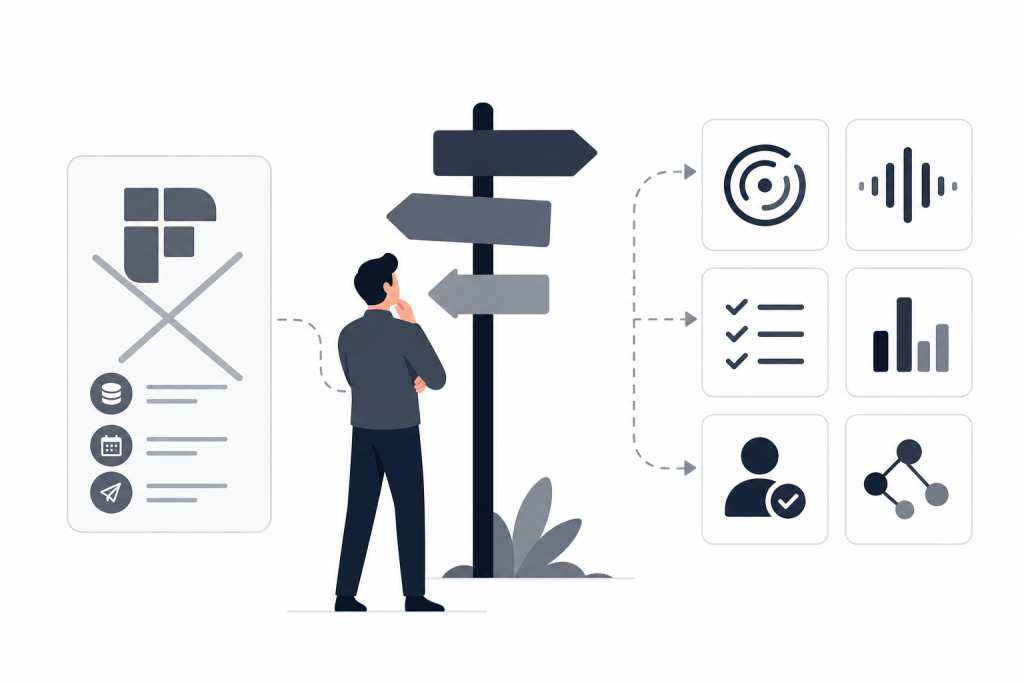
Why Sales Teams Look for a Fireflies Alternative
Fireflies.ai has genuine strengths. Its Salesforce and HubSpot integrations are solid, conversation search is useful, and the pricing is accessible. But it's a reactive tool. It records what happens in a meeting and stores it. That's the full scope.
The free plan is effectively a trial: 800 minutes of lifetime storage means a moderately active sales rep burns through it in weeks. After that, you're paying for transcription and search — but you're still doing your own meeting prep, writing your own follow-ups, and manually making sure notes land in your CRM.
Sales teams shopping for alternatives in 2026 tend to fall into one of three groups:
- Teams that want a stronger free plan without the storage ceiling
- Teams that need CRM hygiene to happen automatically, not manually
- Teams that want the tool to do more than record — prep, brief, draft, and sync without prompting
The right alternative depends on which of those problems you're actually trying to solve.
The Best Fireflies Alternatives for Sales Teams in 2026
Baxter: Full-Loop Meeting Intelligence for Deal Professionals
Baxter covers the most ground of any tool in this category — before, during, and after a meeting. It connects to your calendar, email, and HubSpot CRM and operates autonomously throughout, without requiring manual prompts at any stage.
Before a meeting starts, Baxter pulls from 12+ external data sources — including LinkedIn and Crunchbase — alongside internal tools like Gmail and Slack to build a briefing on every contact and company you're about to meet. You walk in knowing recent funding rounds, role changes, and relevant email history without spending 30 minutes pulling it together yourself.
During the meeting, it records and transcribes. Afterward, it drafts follow-up emails, builds targeted prospect lists, and syncs notes, tasks, and tags to HubSpot through a native two-way integration.
The agent runs in the background throughout. Nothing requires a trigger.
Pricing:
- Free: $0/month — includes pre, during, and post-meeting intelligence, CRM sync, and the Baxter Intel Agent
- Pro: $44/seat/month — unlimited transcription, unlimited in-person capture, unlimited Ask Baxter
- Business: $89/seat/month for teams of 10+ — unlimited CRM sync, unlimited storage, workspaces, MCP access
- Enterprise: Custom pricing for 400+ seat organizations — enterprise-grade security, custom data retention, priority support
All plans include SOC 2 security and email support. Available on macOS, Windows, iOS, and Android.
Best for: Principals, Partners, and senior deal professionals at PE, VC, and boutique advisory firms. Also a strong fit for founders running relationship-heavy B2B sales where follow-up quality matters as much as the meeting itself.
Where it fits less well: If you need call coaching, win-loss analysis, or pipeline forecasting, Baxter doesn't cover those. It's a meeting intelligence and workflow tool, not a revenue intelligence platform.
Fathom: Best Free Plan in the Category
Fathom has the strongest free tier of any tool in this space. There's no storage cap, transcription quality is solid, and the summary output is clean. The Business tier adds CRM field sync.
The limitation is that Fathom is entirely reactive. No pre-meeting briefing, no external data enrichment, no outreach drafting. Summaries require manual configuration. It does one thing well: record and summarize what happened.
Pricing: $0 to $25/seat/month
Best for: Teams that want a reliable, no-cost note-taker and don't need automation beyond transcription and summaries.
Where it fits less well: Any workflow that depends on pre-meeting prep, autonomous CRM sync, or post-meeting outreach will need a separate tool to fill the gaps Fathom leaves.
Avoma: Most Comprehensive for High-Volume Pipeline Sales
Avoma is the most feature-rich platform in this comparison. It covers scheduling, meeting intelligence, coaching, deal risk alerts, and forecasting. If you're running a high-volume SDR or AE motion and need manager-level visibility into rep performance, Avoma has more depth than anything else on this list.
The tradeoff is scope and cost. Conversation Intelligence and Revenue Intelligence are paid add-ons on top of the base plan, so the effective price climbs quickly. There's also no pre-meeting briefing layer and no external research — Avoma doesn't pull from LinkedIn or Crunchbase before a call.
Pricing: $19 to $49/seat/month before add-ons
Best for: Sales orgs with dedicated sales ops, managers coaching reps, and teams that need pipeline forecasting built into their meeting tool.
Where it fits less well: Relationship-driven firms in PE, VC, or wealth management where depth per meeting matters more than volume metrics. The platform is built for higher-velocity SaaS sales motions.
Read.ai: Solid Transcription with Meeting Analytics
Read.ai offers transcription, meeting summaries, and engagement analytics — talk time, sentiment signals, attention indicators — and integrates with major video platforms to push summaries to Slack or email.
It's primarily a reactive tool. No autonomous pre-meeting research, no post-meeting outreach drafting. The engagement analytics are a genuine differentiator if you want visibility into meeting dynamics, but the workflow doesn't extend much beyond the meeting itself.
Best for: Teams that want transcription plus meeting quality signals without investing in a full workflow platform.
Where it fits less well: Any team that needs the tool to do meaningful work before or after the meeting, not just during it.
Otter.ai: Transcription-First with Basic Collaboration
Otter.ai is one of the most recognized names in transcription. It handles real-time captions, shared notes, and basic meeting summaries, and the collaboration features make it useful for teams that want a shared record of what was said.
Like Read.ai, it's transcription-focused. No pre-meeting intelligence, no CRM sync depth, no autonomous follow-up drafting. It competes on simplicity and price rather than workflow coverage.
Best for: Teams that need a lightweight, affordable transcription tool for internal meetings or basic call records.
Where it fits less well: Sales teams with active CRM hygiene requirements or anyone trying to reduce post-meeting admin time.
Granola: Clean Note-Taking for Mac Users
Granola takes a different approach. It runs locally on Mac, captures audio, and generates clean AI-enhanced notes after a meeting. Minimal by design — no integrations, no CRM sync, no pre-meeting layer.
The appeal is simplicity and privacy. Notes stay local. There's no background agent, no external data pull, and no workflow automation. It's a note-taking tool, not a sales workflow tool.
Best for: Individual contributors who want clean, private meeting notes without connecting to a CRM or external data sources.
Where it fits less well: Any team workflow that requires shared records, CRM hygiene, or follow-up automation.
Side-by-Side Comparison
| Tool | Pre-Meeting Briefing | CRM Sync | Post-Meeting Drafting | Free Plan | Starting Price |
|---|---|---|---|---|---|
| Baxter | Yes (autonomous, 12+ sources) | Native HubSpot two-way | Yes (emails + prospect lists) | Yes | $0 |
| Fathom | No | CRM field sync (Business) | No | Yes (no storage cap) | $0 |
| Fireflies.ai | No | HubSpot + Salesforce | No | Yes (800 min lifetime) | $10/seat/mo |
| Avoma | No | Yes | No | No | $19/seat/mo |
| Read.ai | No | Limited | No | Limited | Varies |
| Otter.ai | No | No | No | Yes | $0 |
| Granola | No | No | No | Limited | Varies |
How to Choose the Right Fireflies Alternative
The honest answer is that the right tool depends on where your time is actually going.
If your biggest problem is that Fireflies' free plan ran out and you just need reliable transcription, Fathom is the cleaner upgrade. No storage cap, no friction.
If notes never make it into your CRM — or you're spending an hour after every call on admin — you need something that automates those steps. Fathom and Fireflies both require manual effort to close that loop. Avoma adds more structure but still doesn't prep you before the meeting or draft outreach after.
If you're in PE, VC, or a founder-led sales role where the quality of every relationship matters and you're running 5 to 15 high-stakes conversations a week, the gap between a passive note-taker and a full-loop tool like Baxter is measured in hours per week. The pre-meeting briefing alone removes 30 to 60 minutes of research before each call. The post-meeting drafting removes another 20 to 45 minutes of writing.
That's not a marginal improvement. It's a different category of tool.
FAQs
What is the best free Fireflies alternative?
Fathom has the strongest free plan in the category — no storage cap, clean transcription. Baxter also offers a free plan that includes pre-meeting intelligence, CRM sync, and the Baxter Intel Agent, which goes further than Fathom's free tier for teams that need more than transcription.
Which Fireflies alternative has the best HubSpot integration?
Baxter offers native two-way HubSpot sync covering notes, tasks, and tags without manual configuration. Fathom's Business tier includes CRM field sync. Fireflies also integrates with HubSpot, but the sync requires setup and doesn't operate autonomously.
Does any Fireflies alternative do pre-meeting research automatically?
Baxter is the only tool in this comparison that generates autonomous pre-meeting briefings by pulling from external sources like LinkedIn and Crunchbase before a meeting starts. No other alternative on this list offers that capability.
Is Avoma a good Fireflies alternative for sales teams?
Avoma is a strong option for high-volume pipeline sales teams that need coaching and forecasting features. It's more comprehensive than Fireflies in that direction, but it doesn't offer pre-meeting research or post-meeting outreach drafting — and the price climbs once you add Conversation Intelligence and Revenue Intelligence.
Which tool is best for PE and VC deal professionals?
Baxter is purpose-built for relationship-driven professionals in PE, VC, and boutique advisory firms. The pre-meeting briefing, HubSpot sync, and post-meeting outreach drafting address the specific workflow pain of high-stakes, low-volume meetings where every interaction carries deal-level weight.
Can I replace Fireflies without losing Salesforce integration?
Baxter's named native CRM integration is HubSpot. If your team relies on Salesforce as its primary CRM, confirm integration specifics directly with any vendor before switching. Fireflies and Avoma both support Salesforce integrations.
What's the main difference between Baxter and Fireflies?
Fireflies is a reactive transcription and search tool — it records what happens and stores it. Baxter operates before, during, and after a meeting without prompting: it briefs you before the call, transcribes during, and drafts follow-ups and syncs your CRM after. The scope of what the tool handles is fundamentally different.
The Bottom Line
Fireflies does one thing well: it records and stores conversations. For sales teams that need more, the gap between a passive note-taker and a full-loop workflow tool is real and measurable in time.
Fathom is the cleanest upgrade if transcription is the core need. Avoma is the right direction if your team needs coaching and pipeline visibility. And if you're in a relationship-driven role where every meeting carries deal weight — and you need the tool to prep you before, sync your CRM after, and draft the follow-up without prompting — Baxter covers that entire loop.
You can start for free at joinbaxter.com and see how the pre-meeting briefing and post-meeting automation work in practice before committing to a paid plan.


Leave a Reply