- What "Owning a Task" Actually Means
- Pre-Meeting Research and Briefings
- Meeting Recording, Transcription, and Notes
- Post-Meeting Follow-Up and CRM Sync
- Contact and Company Enrichment
- Drafting Outbound Communications
- Calendar and Scheduling Coordination
- Task Tracking and Follow-Through
- What AI Still Cannot Own
- Building a Workflow Around an AI Executive Assistant
- FAQs
- Start With the Tasks That Cost You the Most
An AI executive assistant is no longer a novelty reserved for large enterprises with dedicated ops teams. In 2026, it's a practical tool that relationship-driven professionals, deal makers, and founders are using to reclaim real hours every week. The question isn't whether AI can help with administrative work — it's which tasks you should hand off right now, and which ones still need a human in the loop.
This article breaks down the specific task categories an AI executive assistant can own today, where the limits still sit, and how to think about building a workflow around one.
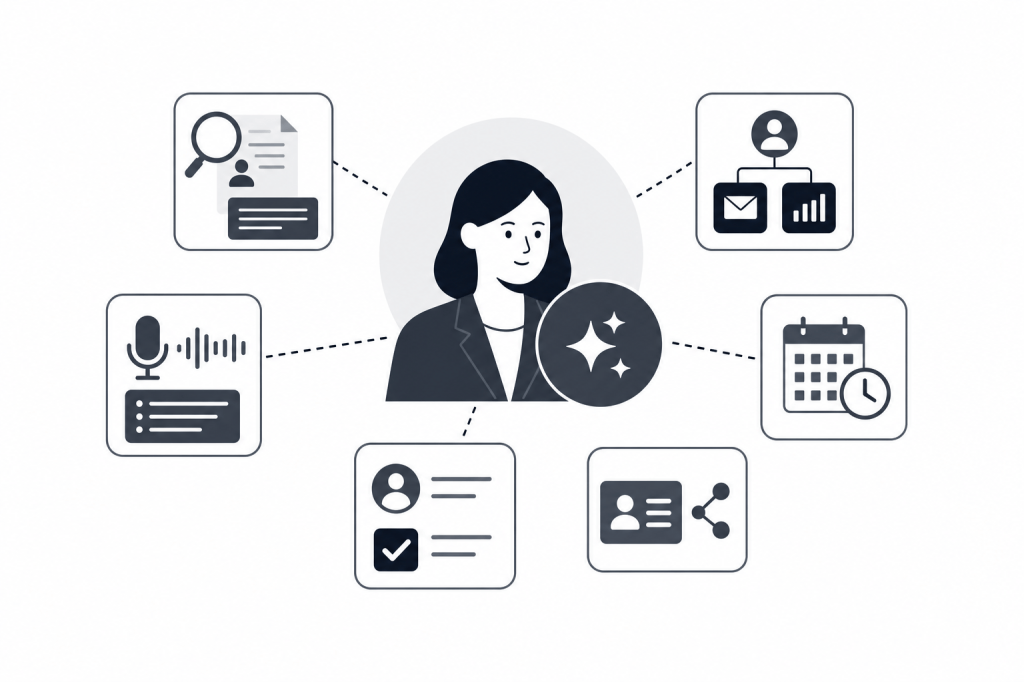
What “Owning a Task” Actually Means
There's a meaningful difference between an AI that assists with a task and one that owns it. Assisting means the AI produces a draft or a summary that you review, edit, and act on. Owning means the AI completes the task end-to-end — no intervention required unless something goes wrong.
Most tools on the market are still in the assist category. They record your meeting, produce a transcript, and leave the rest to you. A smaller number are moving toward genuine ownership, where the AI takes the output of one step and automatically triggers the next without waiting for a prompt.
That distinction matters when you're choosing tools. It's the difference between trading one form of admin for another and actually removing admin from your day.
Pre-Meeting Research and Briefings
This is one of the highest-value tasks an AI executive assistant can own today — and one most professionals are still doing manually.
Before a call with a founder, LP, or potential portfolio company, a thorough prep session might mean pulling their LinkedIn profile, checking recent Crunchbase funding activity, reviewing your last few email exchanges, and scanning for news about their firm. Done manually, that's 20 to 40 minutes per meeting. Done poorly, it costs you credibility in the room.
An AI executive assistant that connects to your calendar, email, and external data sources can surface all of this automatically before you open your laptop. The briefing arrives without you asking for it — covering open items from prior conversations, recent company news, attendee backgrounds, and relationship context.
Baxter does exactly this, pulling pre-meeting briefings from more than 12 external sources including LinkedIn and Crunchbase, alongside your internal data from Gmail and Slack. The agent runs in the background without manual prompts, so the briefing is ready when you need it rather than when you remember to ask.
This is a task the AI can fully own. You read the briefing, walk in prepared, and didn't spend 30 minutes building it.
Meeting Recording, Transcription, and Notes
Recording and transcribing meetings is the most widely adopted AI executive assistant use case in 2026, and for good reason. Modern transcription accuracy is high enough that manual note-taking has become unnecessary for most call types.
But transcription alone isn't ownership. A tool that hands you a raw transcript has assisted you. A tool that generates structured notes, tags action items, and organizes output by topic has moved closer to owning the task.
That distinction matters when you have five calls in a day. If each one produces a transcript you still have to read and summarize, you've traded one form of admin for another. The AI needs to do the synthesis, not just the capture.
Full ownership looks like this:
- The meeting records automatically when it starts
- Notes are generated and structured without prompting
- Action items are extracted and tagged
- The summary is ready within minutes of the call ending
This is achievable today. The gap between tools isn't transcription quality — it's what happens to the output next.
Post-Meeting Follow-Up and CRM Sync
This is where most professionals lose the most time, and where the gap between AI tools is widest.
The hour after a call is often the most expensive hour in a deal professional's day. You need to write a follow-up email, log notes to your CRM, create tasks for next steps, and potentially pull together a list of related contacts. If you have three calls back to back, that work gets pushed to end of day, then to tomorrow, then it doesn't happen at all.
An AI executive assistant can own this entire sequence. After the call ends, it drafts the follow-up based on what was discussed, syncs notes and tasks to your CRM, and builds prospect lists from the conversation context — without you opening a browser, copying a transcript, or writing a single line.
For teams using HubSpot, this matters a lot. CRM hygiene degrades fast when notes aren't logged immediately. Empty HubSpot records six months into a portfolio review aren't a data problem — they're a workflow problem that AI can solve.
Baxter's post-meeting automation handles follow-up drafts, prospect list building, and native two-way HubSpot sync. Updates flow from Baxter to HubSpot and back, so your records stay current on both sides. That's the kind of end-to-end ownership that removes an entire category of admin from your day.
Contact and Company Enrichment
Keeping contact records accurate is unglamorous work that almost never happens consistently without automation. People change roles. Companies raise new rounds. A contact you met at a conference two years ago is now a partner at a fund you want to reach.
An AI executive assistant can own the enrichment layer — continuously pulling updated data from external sources and keeping your records current without manual input. This isn't just about having fresh data. It's about surfacing the right information at the right moment, whether that's before a meeting or when you're building an outreach list.
Pulling from sources like LinkedIn, Crunchbase, and Google, an AI assistant can build rich profiles that include funding history, recent news, mutual connections, and relationship strength based on your actual communication history. That last piece — relationship strength scoring based on real touchpoint history — is something no manual process can replicate at scale.
Drafting Outbound Communications
Drafting is a task where AI assists extremely well and is moving toward ownership for certain communication types.
For follow-up emails after a call, AI ownership is already practical. The assistant knows what was discussed, knows the relationship context, and can produce a draft that needs only a quick read before sending. Most professionals find they send these with minor edits or none at all.
For cold outreach, AI can draft but shouldn't fully own. The personalization and judgment required to write a genuinely effective first contact still benefits from human review. The AI does the research and produces a strong starting point. You make the call on tone and timing.
For internal communications — meeting summaries to a partner group, status updates to a portfolio company — AI ownership is reasonable. The content is factual, the audience is known, and the stakes of an imperfect draft are low.
Calendar and Scheduling Coordination
Scheduling is one of the oldest use cases for executive assistants, human or AI. For straightforward tasks, AI can own the work today.
What AI handles well:
- Finding available times across multiple calendars
- Sending scheduling links or drafting coordination emails
- Blocking prep time before important meetings
- Flagging conflicts before they become problems
What still needs human judgment:
- Deciding which meetings are worth your time at all
- Managing relationships where the scheduling itself carries a signal — who reaches out first, how quickly you respond
- Navigating politically sensitive situations
The AI handles the mechanics. The strategy around your calendar is still yours.
Task Tracking and Follow-Through
One of the quieter failures in high-volume deal work is the action item that gets captured in a meeting and then disappears. Someone was going to send a deck. You were going to make an introduction. A follow-up call was supposed to be scheduled. Three weeks later, none of it happened.
An AI executive assistant can own the capture and tracking layer. When action items surface during a meeting, the AI creates tasks, assigns them, and syncs them to your CRM or project management system. It can surface overdue items before your next meeting with the same person, so you're not walking in having forgotten what you committed to.
This is relationship intelligence in practice. Knowing what you said you'd do — and whether you did it — is the kind of context that builds or erodes trust over time.
What AI Still Cannot Own
Knowing the limits matters as much as knowing the capabilities.
Strategic judgment. Which deals to pursue, which relationships to prioritize, how to position an offer, when to walk away. These require context, experience, and judgment that no AI assistant has today.
Relationship building itself. The AI can prepare you for a conversation and handle the admin around it. The conversation is still yours. The trust that comes from a well-run meeting, an honest answer to a hard question, or a well-timed introduction can't be automated.
Novel situations. When something unexpected happens in a meeting or a deal takes an unusual turn, the AI has no playbook. It can document what happened. It can't decide what to do about it.
High-stakes outbound. A cold email to a target LP or a key potential partner carries your reputation. AI can draft it. You should own the send.
Building a Workflow Around an AI Executive Assistant
The most effective approach isn't to hand off everything at once. Start with the tasks where AI ownership is cleanest: pre-meeting briefings, post-meeting notes and CRM sync, and follow-up email drafts. These consume the most time for the least strategic return, and AI accuracy is high enough that the output is usable without heavy editing.
Once those are running smoothly, extend to contact enrichment and task tracking. At that point, you've removed most of the administrative layer from your meeting workflow and can focus on the work that actually requires you.
For deal professionals and founders managing high-volume relationship work without a research analyst or dedicated EA, this kind of workflow isn't a nice-to-have. It's the difference between a CRM that reflects your actual deal activity and one that's empty by Q2.
FAQs
What is an AI executive assistant?
An AI executive assistant is software that automates the administrative and research tasks typically handled by a human assistant. The most capable versions connect to your calendar, email, and CRM to handle pre-meeting research, note-taking, follow-up drafting, and task tracking — without manual prompts.
Which tasks can an AI executive assistant fully own today?
Pre-meeting briefings, meeting recording and structured note generation, post-meeting CRM sync, follow-up email drafts, contact enrichment, and task capture are all ownable end-to-end with current technology. Strategic decisions, relationship building, and high-stakes outbound still need human judgment.
How is an AI executive assistant different from a meeting notes tool?
A meeting notes tool records and transcribes calls. An AI executive assistant covers the full workflow: research before the meeting, capture during it, and follow-through after. The key distinction is whether the AI triggers the next step automatically or hands the output back to you.
Can an AI executive assistant sync with my CRM?
Yes, if the tool supports it. Baxter has native two-way HubSpot sync — notes, tasks, and tags created after a meeting are pushed to HubSpot automatically, and updates in HubSpot flow back to Baxter. Not all meeting tools offer this, and some reserve CRM sync for their highest paid tier.
Is an AI executive assistant secure enough for deal-sensitive conversations?
Security varies by product. SOC 2 certification is the baseline to look for. Baxter is SOC 2 certified and available across macOS, Windows, iOS, and Android. For financial services firms and PE or VC funds, security certification is a requirement, not a feature.
Do I need technical skills to set up an AI executive assistant?
No. Tools designed for individual professionals and small teams connect via standard OAuth integrations with Gmail, Google Calendar, and HubSpot. Setup is typically a matter of authorizing connections, not configuring infrastructure.
How much does an AI executive assistant cost?
Pricing varies. Baxter offers a free plan at $0/month that includes pre-meeting intelligence, CRM sync, and the Baxter Intel Agent. Pro is $44/seat/month for unlimited transcription and notes. Business is $89/seat/month for teams of 10 or more. See current plans at joinbaxter.com.
Start With the Tasks That Cost You the Most
The clearest way to evaluate an AI executive assistant is to add up how much time you spend on meeting prep and post-meeting admin each week. For most deal professionals, that number falls somewhere between five and fifteen hours — time not spent on calls, relationships, or decisions.
The tasks covered here are ownable today. Pre-meeting research, note capture, CRM sync, follow-up drafts, contact enrichment, task tracking. None of them require strategic judgment. All of them consume real time that could go elsewhere.
If you want to see what that workflow looks like in practice, Baxter is built specifically for this — connecting your calendar, email, and HubSpot into a single AI-driven loop that handles the admin so you can focus on the relationships.


Leave a Reply