- The Selling Time Problem Nobody Talks About
- Where the Hours Actually Go
- Why Most Productivity Advice Misses the Point
- What Automation Actually Fixes
- The CRM Sync Problem Specifically
- Rethinking What a Productive Sales Rep Looks Like
- Building a Workflow That Doesn't Steal Time
- Frequently Asked Questions
- The Bottom Line
Sales rep productivity gets talked about constantly in B2B sales circles, but most of the conversation jumps straight to tactics. The more useful question comes first: where does the time actually go? You can't fix a productivity problem you haven't accurately diagnosed.
For most reps, the answer isn't what they'd expect.
The Selling Time Problem Nobody Talks About
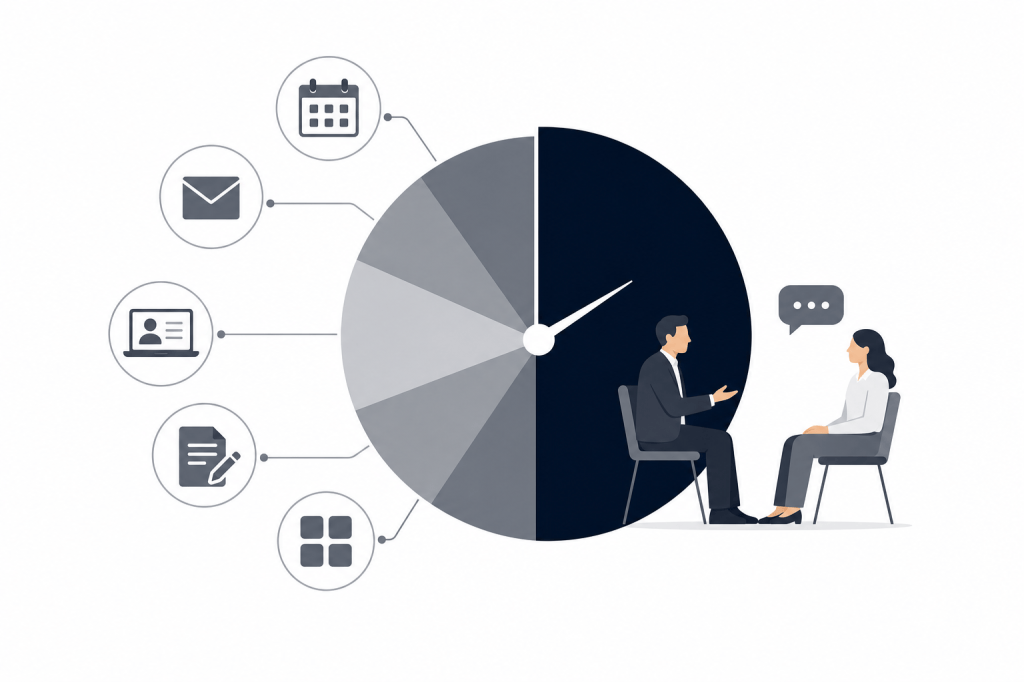
Ask a sales rep how much of their day they spend actually selling, and the number is almost always lower than their manager assumes. Research consistently shows that direct selling activity accounts for less than half of a rep's working week. The rest disappears into meeting prep, note-taking, CRM updates, follow-up writing, and the administrative drag that accumulates around every conversation.
This isn't a motivation problem. It's a structural one. The workflows surrounding selling haven't kept pace with what's expected of reps. You're supposed to walk into every meeting fully briefed, leave every call with notes in the CRM, and send a thoughtful follow-up within the hour. Each of those tasks takes real time — and that time comes directly out of the hours available for pipeline work.
For founders carrying their own book, or deal professionals at PE and VC firms managing a high volume of relationships, the math gets worse fast. Every meeting carries 30 to 60 minutes of prep and admin on either side. Multiply that across a week and you've lost an entire day to tasks that never moved a deal forward.
Where the Hours Actually Go
A typical sales rep's week has a few consistent time sinks. They're not mysterious — they're just rarely quantified.
Meeting Preparation
Before a meaningful sales meeting, a rep needs to know who they're talking to, what the company has been doing recently, what was said in the last conversation, and what context lives in email and CRM history. Pulling that together manually means opening LinkedIn, running a Crunchbase search, scanning Gmail threads, and digging through HubSpot notes.
Done properly, that process takes 20 to 40 minutes per meeting. Done in a rush, reps walk in underprepared — which is one of the most common reasons deals stall. A competitor who showed up knowing about the prospect's recent funding round, their new procurement hire, or a detail from a conversation six months ago has a real, visible edge.
Post-Meeting Administration
The hour after a call is where productivity quietly dies. A rep who just finished a discovery call needs to write up notes, update HubSpot, draft a follow-up email, create tasks for next steps, and potentially log the conversation in Slack. Done thoroughly, that sequence takes 45 minutes to an hour.
Most reps don't do it thoroughly. They write abbreviated notes, skip the CRM update, or send a generic follow-up. The deal context that should live in HubSpot ends up in someone's head or a notebook. By the time the deal reaches a later stage — or a colleague needs to step in — the record is incomplete.
CRM Data Entry
CRM hygiene is the productivity problem that compounds quietly over time. When notes don't get logged after Q1, the portfolio review in Q3 reveals an empty HubSpot. When a deal closes and someone tries to understand why, the call history is missing. The cost isn't just admin time — it's lost institutional knowledge and broken pipeline visibility.
Reps know they should update the CRM. They also know that doing it manually after every call is slow and tedious. So it gets deprioritized, and the gap between what happened and what was recorded keeps growing.
Follow-Up Writing
A well-written follow-up does real work. It confirms next steps, reinforces the value discussed, and keeps momentum alive. Writing one that actually accomplishes those things takes time. A rep managing 10 active conversations can't write 10 thoughtful follow-ups from scratch every day without sacrificing something else.
The result is templated emails that feel generic, delayed follow-ups that lose momentum, or no follow-up at all. None of those outcomes help the deal.
Context Switching and Tool Fragmentation
The average sales rep works across multiple tools that don't communicate well with each other. Calendar in one place, email in another, CRM in a third, notes in a fourth. Switching between them to prepare for a meeting — or update a record after one — adds friction to every task. That friction isn't dramatic on its own, but it accumulates across dozens of interactions each week.
Why Most Productivity Advice Misses the Point
Standard advice for improving sales rep productivity focuses on time-blocking, prioritization frameworks, and coaching. Those things have value, but they treat the symptom rather than the cause.
The cause is that the workflows surrounding selling are manual, fragmented, and time-intensive by default. A rep who time-blocks their morning for prospecting still has to spend that time on prep and admin if nothing automates it for them. Better habits don't eliminate the underlying work — they just rearrange when it happens.
The more useful question is: which parts of the prep and admin workflow can be handled without the rep's direct involvement?
What Automation Actually Fixes
Not all sales tasks benefit equally from automation. The ones that do share a common trait: they're information-intensive but not judgment-intensive. Pulling LinkedIn and Crunchbase data before a meeting is information-intensive. Deciding what to say in the meeting requires judgment. Transcribing a call is information-intensive. Deciding whether to push for a close requires judgment.
Automation works best on the information side. When a tool can pull together a pre-meeting briefing from 12 or more external data sources — LinkedIn, Crunchbase, news, email history, Slack — without the rep having to prompt it, that's 30 minutes returned before the meeting even starts.
When that same tool can transcribe the call, draft the follow-up email, and sync notes and tasks to HubSpot automatically after the meeting ends, that's another 45 minutes returned. Across a week with five substantive meetings, that's several hours of recovered selling time.
This is the category of work Baxter was built to handle. It connects to your calendar, email, and CRM and operates as an autonomous agent in the background — running the full meeting workflow from pre-meeting research through post-meeting CRM sync without requiring manual prompts. The free plan includes CRM sync and the Baxter Intel Agent at no cost. The Pro plan at $44 per seat per month adds unlimited transcription, notes, and in-person capture.
The CRM Sync Problem Specifically
HubSpot sync deserves its own section because it's where deal context most reliably disappears. The problem isn't that reps don't want to update HubSpot — it's that manual updates happen after the call, when attention has already moved to the next thing. The update gets abbreviated or skipped entirely.
Automatic two-way sync changes that dynamic. Notes, tasks, and tags reach HubSpot without the rep having to remember to log them. The record stays current. When a colleague needs context on an account, or a manager runs a pipeline review, the data is actually there.
This matters especially for relationship-driven professionals at PE and VC firms, where deal context spans months or years and a missing note from a March conversation can matter in September. The institutional memory problem isn't solved by asking people to be more disciplined. It's solved by removing the manual step.
Rethinking What a Productive Sales Rep Looks Like
A productive sales rep in 2026 isn't someone who works faster or longer. It's someone whose environment handles the information-intensive work automatically, so their attention stays on the judgment-intensive work.
That means walking into every meeting already briefed, without spending 30 minutes pulling data. It means leaving every call knowing the follow-up is being drafted and the CRM is being updated. It means the hour after a call is available for the next conversation — not for administrative recovery.
The reps who are most effective right now aren't necessarily the ones with the sharpest instincts. They're the ones whose workflows don't fight them. When prep, transcription, follow-up drafting, and CRM sync happen automatically, the time available for actual selling expands considerably.
Building a Workflow That Doesn’t Steal Time
If you want to understand where your own time goes, track one week of meeting-related activity in detail. Log how long prep takes before each meeting, how long admin takes after, and how often CRM updates actually happen versus how often they should. The gap between those last two numbers is usually the most revealing.
From there, the question is which parts of that gap can be closed with automation. Pre-meeting research is almost entirely automatable. Post-meeting transcription is fully automatable. Follow-up drafting is automatable with the right context. CRM sync is automatable with the right integration.
The parts that require your judgment — the actual conversation, the relationship-building, the decision about how to position your offer — can't be automated. But they don't need to be. They're the parts worth protecting.
Frequently Asked Questions
What percentage of a sales rep's time is spent on non-selling activities?
Most estimates put direct selling time at less than 40 percent of a rep's working week. The remainder goes to meeting prep, note-taking, CRM updates, follow-up writing, and internal coordination. The exact split varies by role and company, but the pattern holds across industries.
What is the biggest time sink for sales reps?
Post-meeting administration is typically the largest single drain. Writing notes, updating the CRM, drafting follow-ups, and creating tasks after a call can take 45 minutes to an hour per meeting. For reps with five or more substantive meetings per week, that adds up to a full day of admin.
How does poor CRM hygiene affect sales productivity?
When notes and deal context don't reach the CRM after calls, the pipeline record becomes unreliable. Managers can't run accurate forecasts, colleagues can't step in on accounts without losing context, and reps spend time reconstructing history that should already be logged. The productivity cost compounds over time.
Can AI tools genuinely improve sales rep productivity, or is it just hype?
AI tools that automate information-intensive tasks — pre-meeting research, call transcription, CRM sync — return measurable time to reps. The value is specific and practical, not abstract. Tools that require manual prompting or only operate during calls have a narrower impact than autonomous agents that handle the full meeting workflow.
What should a sales rep look for in a meeting productivity tool?
Look for something that covers the full meeting lifecycle: pre-meeting briefing, live transcription, and post-meeting automation including follow-up drafts and CRM sync. Autonomous operation matters because tools that require manual configuration add their own overhead. Integration depth with your existing CRM and communication tools determines whether the automation actually sticks.
How is Baxter different from other meeting tools like Fathom or Fireflies?
Most meeting tools are reactive — they record and transcribe calls, but they don't prepare you before the meeting or automate outreach after it. Baxter operates as an autonomous agent across the full workflow: pulling pre-meeting briefings from over 12 external data sources including LinkedIn and Crunchbase, transcribing the call, drafting follow-up emails, and syncing notes and tasks to HubSpot automatically. That scope is what separates it from tools that only handle one piece of the process.
Is there a free way to start automating meeting workflows?
Yes. Baxter's free plan includes pre-meeting, during-meeting, and post-meeting intelligence, CRM sync, and the Baxter Intel Agent at no cost. Unlimited transcription and notes are available on the Pro plan at $44 per seat per month.
The Bottom Line
Sales rep productivity isn't a motivation problem or a time-management problem. It's a workflow problem. The prep, admin, and CRM work surrounding every meeting consumes hours that could go toward selling — and most of it is automatable.
The reps recovering that time aren't working harder. They're working in environments where the information-intensive tasks happen automatically, and their attention stays where it actually matters. If you want to see what that looks like in practice, joinbaxter.com is a reasonable place to start.


Leave a Reply