- Why CRM Data Entry Breaks Down
- What CRM Data Entry Automation Actually Means
- Where Most Tools Fall Short
- The Full-Loop Approach: Before, During, and After
- HubSpot Sync: What "Automated" Should Actually Look Like
- Choosing the Right Automation Approach for Your Firm
- Making the Transition Without Disrupting Your Workflow
- FAQs
- Stop Rebuilding Context From Memory
Manual CRM data entry is one of the most persistent drains on relationship-driven professionals. You finish a strong call, open HubSpot, and spend the next 45 minutes reconstructing what was said, who committed to what, and what needs to happen next — all from memory. CRM data entry automation exists to close that gap, and in 2026, the tools doing it well go far beyond simple note-pushing.
This article covers why the copy-paste loop forms in the first place, what genuine automation looks like across the full meeting workflow, and how to choose an approach that actually keeps your CRM current without adding more steps to your day.
Why CRM Data Entry Breaks Down
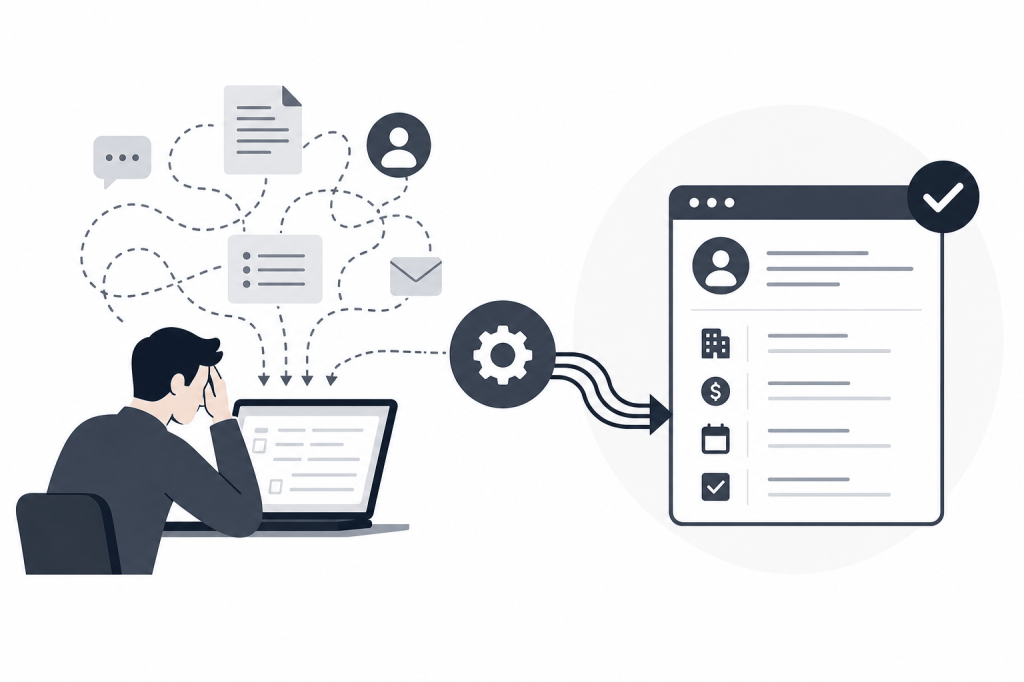
The problem isn't that people don't want accurate CRM records. It's that logging data manually competes directly with the next call, the next email, or the next deal that needs attention.
For deal professionals at PE and VC firms — or founders carrying their own pipeline — the math is brutal. If every meeting generates 30 to 60 minutes of post-call admin (writing notes, drafting follow-ups, updating contact records, logging tasks) and you have five to eight meetings a week, you're spending half a day or more on data entry alone.
The result is predictable: notes get skipped, context goes missing, and HubSpot becomes a graveyard of contacts with no activity history. When a portfolio review rolls around, or a deal moves to a second meeting with a new partner in the room, nobody has the context they need.
The Three Points Where Data Gets Lost
Most CRM data loss happens at three specific moments.
During the meeting. You're focused on the conversation, not documenting it. Key commitments, objections, and follow-up items get mentioned once and never captured.
Immediately after. The next call starts in ten minutes. There's no time to write structured notes, so you tell yourself you'll do it later. Later never comes.
At the end of the day. Now you have four meetings' worth of context to reconstruct from memory. What was said in which call? What did you promise to send? Which contact mentioned a board meeting in Q4? It's all blurred together.
Manual entry fails at all three points. Automation needs to address all three to actually work.
What CRM Data Entry Automation Actually Means
"CRM automation" gets used loosely. Some tools push a transcript to a notes field and call it done. That's not automation — it's a copy-paste shortcut.
Real CRM data entry automation handles the full loop: capturing what happened, structuring it into useful records, syncing those records to the right contacts and deals in your CRM, and triggering next actions without you having to orchestrate any of it.
The distinction matters because a transcript sitting in a notes field doesn't help your team. A structured summary with action items, tagged to the right HubSpot contact, with a follow-up task already created — that does.
The Layers of a Complete Automation Stack
A complete approach covers three layers.
Capture. Recording and transcription that runs automatically when a meeting starts — no button to press, no bot to invite. This should work across video calls and in-person meetings.
Structure. AI that converts raw transcription into organized outputs: meeting summaries, action items, open questions, commitments made by each party. The structure needs to map to how your CRM is organized, not just dump text into a single field.
Sync. Two-way integration with your CRM that writes notes, creates tasks, updates contact records, and tags deals — and pulls existing CRM context back into your workflow so you're never starting from a blank slate.
Most note-taking tools handle capture reasonably well. The gap is almost always in structure and sync.
Where Most Tools Fall Short
The lightweight note-takers — Fathom, Fireflies.ai, Otter.ai — solve the transcription problem. They record meetings, generate summaries, and push some data to HubSpot or Salesforce. For teams that just need a searchable record of what was said, they work.
But they're reactive by design. They wait for the meeting to happen, then process what they captured. There's no intelligence before the meeting starts, and the post-meeting output is limited to what was said on the call — no external enrichment, no outreach drafting, no autonomous follow-up generation.
Fathom's Business tier at $25/seat/month adds CRM field sync, which is the most relevant overlap with a full automation workflow. But users still need to manually configure summaries and prompt the tool for specific outputs. It doesn't operate independently.
Fireflies.ai offers deep HubSpot integration and a searchable conversation history across all historical calls — genuinely useful for teams that want to search across past meetings. But the free plan has hard limits (800 minutes of lifetime storage, three bot-joined meetings total), and there's no pre-meeting research or autonomous outreach drafting.
Avoma sits at the heavier end of the spectrum, built for high-volume pipeline sales motions with conversation intelligence and revenue analytics. At $49/seat/month for the Business tier before add-ons, it's priced for sales teams running structured playbooks — not the 10-person PE firm where the managing partner personally manages 40 relationships.
None of these tools address the moment before the meeting starts. And none of them draft the follow-up email.
The Full-Loop Approach: Before, During, and After
The most effective CRM data entry automation doesn't start when the meeting begins. It starts the night before.
Before a meeting, you need to know who you're meeting, what's changed at their company since your last conversation, what's open in your CRM from previous interactions, and what context from LinkedIn or Crunchbase is relevant to the conversation ahead. Pulling that together manually takes 20 to 30 minutes per meeting. An AI agent that does it automatically — without you asking — gives that time back every single day.
During the meeting, transcription and note-taking should run in the background. The goal isn't just a transcript; it's a structured record that identifies commitments, action items, and key discussion points in a format that maps to your CRM fields.
After the meeting, the automation should write the follow-up email draft, sync notes and tasks to HubSpot, and surface any prospect list or outreach context that came up in the conversation. Not push a transcript to a notes field — actually draft the email you'd otherwise spend 20 minutes writing.
Baxter is built around this full loop. The AI agent connects to your calendar, email, and HubSpot, then runs autonomously across all three stages without requiring manual prompts. Pre-meeting briefings pull from 12 or more external sources — including LinkedIn, Crunchbase, and Google — alongside internal context from Gmail and Slack. Post-meeting, it drafts follow-up emails, builds prospect lists, and syncs notes, tasks, and tags to HubSpot through a native two-way integration.
That two-way sync matters more than it sounds. Most tools push data to your CRM. Baxter also pulls from it — so your pre-meeting briefing includes open items and relationship history from HubSpot, not just external research.
HubSpot Sync: What “Automated” Should Actually Look Like
HubSpot is the CRM most common among the firms and teams this workflow targets. Getting the sync right is the difference between a CRM that reflects reality and one that's perpetually out of date.
A properly automated HubSpot sync should:
- Write structured meeting notes to the correct contact and deal records automatically, without requiring you to open HubSpot after the call
- Create follow-up tasks with due dates and owners based on commitments made during the meeting
- Apply tags that reflect deal stage, meeting type, or relationship context
- Pull existing notes and open items from HubSpot into your pre-meeting briefing so you're not re-reading old records manually
Baxter's Business plan at $89/seat/month (for teams of 10 or more) includes unlimited CRM sync, removing the per-sync caps that apply at lower tiers. The Free plan at $0 includes CRM sync and the Baxter Intel Agent — a reasonable starting point for individual users who want to test the workflow before committing to a paid tier.
If your team is managing post-meeting handoffs to customer success or account management, tools like Planhat can receive the structured data flowing out of your CRM sync and give downstream teams a clean view of what was discussed and what's expected next.
Choosing the Right Automation Approach for Your Firm
The right tool depends on where the loop is actually breaking down.
If the main problem is transcription and basic note-keeping, a lightweight tool like Fathom or Fireflies.ai covers that at lower cost. Expect to handle follow-up drafting and pre-meeting research manually.
If the main problem is CRM data quality — notes not making it to HubSpot, tasks not getting created, deal records going stale — you need structured sync, not just a transcript push. That rules out most free-tier options.
If the problem spans all three stages — walking into meetings underprepared, losing context after calls, spending too much time on follow-up admin — you need a full-loop solution that operates without requiring you to manage it. That's where autonomous AI agents become the right answer rather than a collection of point tools.
For PE and VC professionals, founders carrying their own pipeline, and small deal teams without a dedicated research analyst, the full-loop approach is almost always the right fit. The per-meeting time savings compound quickly when you're running five to eight meetings a week.
Making the Transition Without Disrupting Your Workflow
The most common objection to adopting CRM automation is setup cost. Fair concern — a tool that requires two weeks of configuration before it works isn't actually saving time.
A few practical steps that reduce friction:
Start with your existing calendar and email connections. Tools that integrate with Google Calendar and Gmail can begin surfacing context immediately, without requiring you to rebuild your contact database or reconfigure HubSpot from scratch.
Run the automation in parallel for the first week. Take your own notes as usual, then compare what the AI captured. You'll quickly see whether the structure and CRM sync match what you actually need.
Set expectations with your team about what will change. If you're on a Business plan with multiple seats, the shift from manual logging to automated sync changes how your team interacts with HubSpot. Brief them on what's automated and what still requires human judgment.
Don't treat the follow-up draft as final. The value of automated outreach drafting is that you start from something instead of a blank page. Review it, adjust the tone, add specific details — then send. It should take five minutes, not 20.
FAQs
What is CRM data entry automation?
CRM data entry automation uses software to capture, structure, and sync meeting and interaction data to your CRM without manual input. This includes transcribing calls, generating structured notes, creating follow-up tasks, and updating contact and deal records automatically after meetings.
Does CRM automation work with HubSpot?
Yes, and the depth of integration varies significantly across tools. Basic options push transcripts to notes fields. More complete solutions like Baxter offer two-way native sync that writes notes, tasks, and tags to the correct records — and pulls existing CRM context into pre-meeting briefings.
What's the difference between a note-taker and a full CRM automation tool?
A note-taker records and transcribes meetings, then typically generates a summary. A full CRM automation tool covers the entire meeting workflow: pre-meeting research, live capture, structured post-meeting output, follow-up drafting, and CRM sync — operating autonomously without requiring manual prompts at each stage.
Can CRM data entry automation handle in-person meetings, not just video calls?
Some tools support in-person capture. Baxter's Pro plan at $44/seat/month includes unlimited in-person capture alongside video meeting transcription, so the automation applies to all meetings — not just those held on Zoom or Google Meet.
Is it safe to connect an AI tool to my CRM and email?
Security standards vary by tool. SOC 2 certification is a baseline indicator that the vendor has undergone independent security auditing. Baxter is SOC 2 certified, and all plans include SOC 2 security as a standard feature.
How much time does CRM automation actually save?
It depends on your meeting volume and how thorough your current manual process is. For professionals running five to eight meetings per week with 30 to 60 minutes of post-call admin each, automating note-taking, CRM sync, and follow-up drafting can recover several hours a week.
Do I need a paid plan to get CRM sync with Baxter?
No. Baxter's Free plan at $0 includes CRM sync and the Baxter Intel Agent. Unlimited CRM sync — without per-sync limits — is a Business plan feature at $89/seat/month for teams of 10 or more.
Stop Rebuilding Context From Memory
The copy-paste loop isn't a discipline problem. It's a workflow design problem. When the gap between what happened in a meeting and what's recorded in your CRM requires 45 minutes of manual reconstruction, most people will skip it — especially when the next call is already on the calendar.
CRM data entry automation closes that gap by handling capture, structure, and sync automatically. The best implementations go further: they brief you before the meeting starts and draft the follow-up before you've closed your laptop.
If your HubSpot records are consistently incomplete, or if you're spending more time writing about meetings than being in them, it's worth asking whether the tool you're using actually covers the full loop — or just the easy part.
Baxter is built for exactly this workflow, starting at $0 and scaling to full team automation. The agent runs in the background so you can stay focused on the relationships themselves.


Leave a Reply