- What Each Tool Is Actually Built to Do
- Pre-Meeting: Who Actually Prepares You?
- During the Meeting: Recording and Notes
- Post-Meeting: Where Most Tools Drop the Ball
- CRM Integration: A Real Comparison
- Who Each Tool Is Right For
- Pricing: What You're Actually Paying For
- The Agentic Difference
- Making the Decision
- Frequently Asked Questions
If you're doing an ai meeting assistant comparison right now, you've probably already shortlisted Fathom and Fireflies. They're popular, well-reviewed, and genuinely good at one thing: recording and transcribing meetings. But if you work in private equity, venture capital, or B2B sales, recording is the smallest part of your problem.
The real cost is everything around the meeting. The 45 minutes of prep you do manually the night before. The follow-up email you meant to send by end of day but forgot. The CRM that still shows a contact's old title because nobody updated it after the last call. That's where deals slip.
This comparison breaks down how Baxter, Fathom, and Fireflies each handle the full meeting lifecycle — before, during, and after — so you can decide which one actually earns its place in your workflow.
What Each Tool Is Actually Built to Do
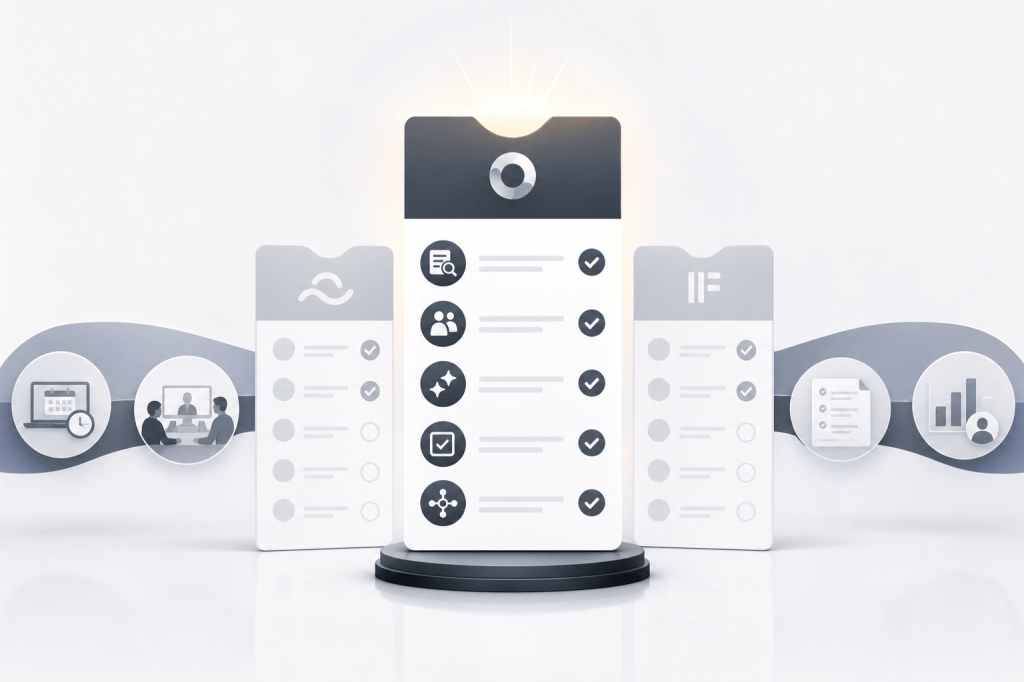
Before comparing features, it helps to understand what each product was designed for. The differences are more fundamental than a feature checklist suggests.
Fathom is a meeting recorder and note-taker. It joins your calls, transcribes them, and produces clean summaries. It's fast, accurate, and beloved by people who want to stop taking notes during Zoom calls. That's a real problem worth solving.
Fireflies.ai covers similar ground with a broader integration surface. It records, transcribes, and lets you search across your meeting library. It also has some CRM logging features and workflow automations, though these tend to require manual setup and configuration.
Baxter is built around a different premise entirely. It's designed as an AI operating system for the full meeting lifecycle — not just the call itself. That means it does work before you even open your laptop, surfaces context during the meeting, and handles the admin after you close it, without you having to prompt it to do any of that.
The distinction matters if your job is relationship-driven. A tool that only captures what happened in a meeting doesn't help you walk in prepared or make sure the right follow-up lands on time.
Pre-Meeting: Who Actually Prepares You?
This is where the comparison gets stark.
Fathom and Fireflies don't have a meaningful pre-meeting layer. They activate when a call starts. Whatever prep you did before that call, you did yourself.
Baxter connects to your calendar and starts working before the meeting exists on your radar. When a call is scheduled, it automatically surfaces a briefing: open items from previous conversations, recent news about the company, relationship context on each attendee, and any personal details that might matter. It pulls this from 12+ external sources — LinkedIn, Crunchbase, Google, and others — alongside your internal data from Gmail, Slack, and your CRM.
For a PE partner running six portfolio company calls a week, or a senior AE managing a pipeline of 30 active deals, that automated briefing is the difference between walking in sharp and winging it. The prep happens whether you remembered to do it or not.
During the Meeting: Recording and Notes
All three tools handle live meeting capture, but with different depth.
Fathom produces excellent transcriptions and meeting summaries. It's one of the cleaner note-taking experiences in the market, and the summaries are genuinely readable. If your primary goal is to stop manually taking notes, Fathom does this well.
Fireflies also transcribes reliably and adds a searchable meeting library, which is useful if you're trying to find what was said in a call from three months ago. It supports a wide range of meeting platforms.
Baxter records and transcribes meetings too, with automatic note generation. But it's also tracking the conversation against the relationship context it already built. That means the notes it produces aren't just a transcript summary — they're connected to what you already know about the deal, the contact, and the history of the relationship.
On the Pro plan and above, Baxter offers unlimited meeting transcription and notes, plus unlimited in-person capture for meetings that happen outside a video call. That last feature matters more than it sounds if you're doing a lot of in-person LP meetings or client dinners.
Post-Meeting: Where Most Tools Drop the Ball
This is the most important section for anyone who has ever ended a busy deal week with a list of follow-ups they meant to send.
After a Fathom call, you get your notes and a summary. Sending the follow-up, updating the CRM, logging the next step — that's on you. Fathom doesn't do it, and it doesn't pretend to.
Fireflies has some post-meeting automation features, including CRM logging for certain platforms. In practice, these often require configuration and don't work without manual intervention to get the data into the right fields.
Baxter's post-meeting layer is where the product earns its positioning as an operating system rather than a recorder. After a call ends, it drafts the follow-up email, syncs notes and tasks to HubSpot, logs the interaction, and updates contact records — without you having to ask it to do any of that. It can also build prospect lists and handle outreach drafts as part of the same workflow.
The native HubSpot integration is two-way, which means it's not just pushing notes into a contact record. It's pulling context from the CRM into your briefings and pushing updates back after every interaction. For teams where CRM hygiene is a constant battle, that bidirectional sync is significant.
CRM Integration: A Real Comparison
CRM sync is where the gap between these tools is most visible.
| Feature | Baxter | Fathom | Fireflies |
|---|---|---|---|
| Pre-meeting briefings | Yes, automated | No | No |
| Live transcription | Yes | Yes | Yes |
| Auto-drafted follow-ups | Yes | No | Limited |
| HubSpot native sync (two-way) | Yes | Limited | Limited |
| Contact enrichment (12+ sources) | Yes | No | No |
| Relationship strength tracking | Yes | No | No |
| Zero-prompt automation | Yes | No | No |
| In-person meeting capture | Yes (Pro+) | No | No |
Fathom has some HubSpot integration, but it's primarily one-directional — pushing notes from meetings into contact records. It doesn't enrich contacts, track relationship health, or update the CRM proactively between meetings.
Fireflies has CRM integrations across several platforms, but the depth of what gets synced and how automatically it happens depends on your configuration. It's more of a connected tool than a native integration.
Baxter's HubSpot integration is built to be the primary CRM workflow, not an add-on. Notes, tasks, tags, and contact updates flow both ways, and the system maintains touchpoint history and relationship strength scores over time. For a BD team that lives in HubSpot, that's a fundamentally different experience.
Who Each Tool Is Right For
These tools serve different buyers, and being honest about that is more useful than declaring a winner for everyone.
Fathom is a good fit if:
- You want clean, accurate meeting notes without any setup complexity
- Your CRM workflow is already handled elsewhere
- You're an individual contributor who doesn't need pre-meeting research
- You want a free or low-cost note-taker for internal meetings
Fireflies is a good fit if:
- You want a searchable archive of all your meeting recordings
- You need broad platform support across many meeting tools
- Your team uses a variety of CRMs and you want basic logging
- You're comfortable configuring automations manually
Baxter is the right choice if:
- You're in PE, VC, financial services, or B2B sales with a high-value contact network
- You want automated prep before every meeting, not just notes after
- Your team runs on HubSpot and needs the CRM to stay current without manual updates
- You've lost deals or relationships because follow-ups fell through the cracks
- You want the AI to do the work without being prompted every time
Pricing: What You’re Actually Paying For
Fathom and Fireflies both offer free tiers with meaningful functionality, which is part of why they've built large user bases. Baxter also has a free plan.
Baxter's free plan includes pre-meeting intelligence, CRM sync, and the Baxter Agent — which means you get the core agentic workflow without paying anything. The Pro plan is $44 per seat per month and adds unlimited meeting transcription, unlimited in-person capture, and unlimited Ask Baxter. The Business plan at $89 per seat per month (for teams of 10 or more) adds unlimited CRM sync, unlimited storage, organization controls, workspaces, and MCP access. Enterprise pricing is custom for organizations of 400 or more, with enterprise-grade security, custom data retention, and priority support.
All plans include SOC 2 security and email support, which matters if you're handling sensitive deal information.
The pricing comparison isn't just about dollars per seat. It's about what you're buying. If you pay for a recorder and still spend 45 minutes manually prepping for every meeting, you're paying twice — once for the tool and once with your time.
The Agentic Difference
The phrase "agentic AI" gets used loosely, but it has a specific meaning in this context. Fathom and Fireflies are reactive tools. They do something when a meeting happens. Baxter is proactive — it acts on your behalf before you've thought to ask.
That means when a meeting appears on your calendar, Baxter starts building the brief. When the call ends, it starts drafting the follow-up. When a contact changes roles, it updates the record. None of this requires you to open the app, enter a prompt, or remember to do it.
For professionals managing dense deal pipelines, that shift from reactive to proactive is the actual value. The tool isn't saving you a few minutes of note-taking. It's handling the entire layer of relationship admin that used to fall through the cracks.
Making the Decision
If you're evaluating tools primarily on meeting notes quality, Fathom is excellent and hard to beat at its price point. If you want a broad meeting archive with wide platform support, Fireflies covers that well.
But if you're a deal-driven professional who needs to walk into every meeting prepared, keep your CRM accurate without manual effort, and make sure every follow-up actually gets sent — that's a different category of problem. Fathom and Fireflies weren't built to solve it.
Baxter was. It's worth seeing how the full workflow looks before you commit to a tool that only handles one part of the job.
Frequently Asked Questions
What is the main difference between Baxter and Fathom?
Fathom is a meeting recorder and note-taker that activates when a call starts. Baxter covers the full meeting lifecycle: automated pre-meeting briefings, live transcription, and post-meeting automation including follow-up drafts and CRM sync. Fathom doesn't do pre-meeting prep or proactive CRM updates.
Does Baxter replace Fireflies.ai?
For most relationship-driven professionals, yes. Fireflies handles transcription and meeting archives. Baxter does that plus automated research before meetings, contact enrichment from 12+ sources, two-way HubSpot sync, and agentic post-meeting workflows that run without manual prompts. If your work involves managing a high-value contact network, Baxter covers significantly more ground.
Which AI meeting tool works best with HubSpot?
Baxter has the deepest native HubSpot integration of the three. It syncs notes, tasks, and tags bidirectionally — pulling CRM context into briefings and pushing updates back after every meeting. Fathom and Fireflies offer HubSpot connections, but they're primarily one-directional and less automated.
Is Baxter good for private equity and venture capital firms?
Yes. Baxter was specifically built for relationship-driven firms in PE, VC, and financial services. The pre-meeting briefing layer, relationship strength tracking, and contact enrichment from sources like LinkedIn and Crunchbase are particularly relevant for deal teams managing large contact networks over long investment cycles.
Does Baxter have a free plan?
Yes. Baxter's free plan includes pre-meeting intelligence, CRM sync, and the Baxter Agent. The Pro plan at $44 per seat per month adds unlimited transcription, in-person capture, and Ask Baxter. The Business plan at $89 per seat per month is designed for teams of 10 or more.
What does "agentic AI" mean for a meeting tool?
An agentic AI acts proactively without waiting for you to prompt it. In Baxter's case, that means it automatically builds your meeting brief when a call is scheduled, drafts follow-ups when a call ends, and updates your CRM without you opening the app. Fathom and Fireflies are reactive — they respond when a meeting happens, but they don't act on your behalf before or after without manual input.
Can Baxter capture in-person meetings, not just video calls?
Yes. Baxter's Pro plan and above include unlimited in-person meeting capture, which is useful for deal teams that do a lot of face-to-face meetings, site visits, or LP events where there's no video call to join.


Leave a Reply